

BibGenie: Zotero AI Plugin
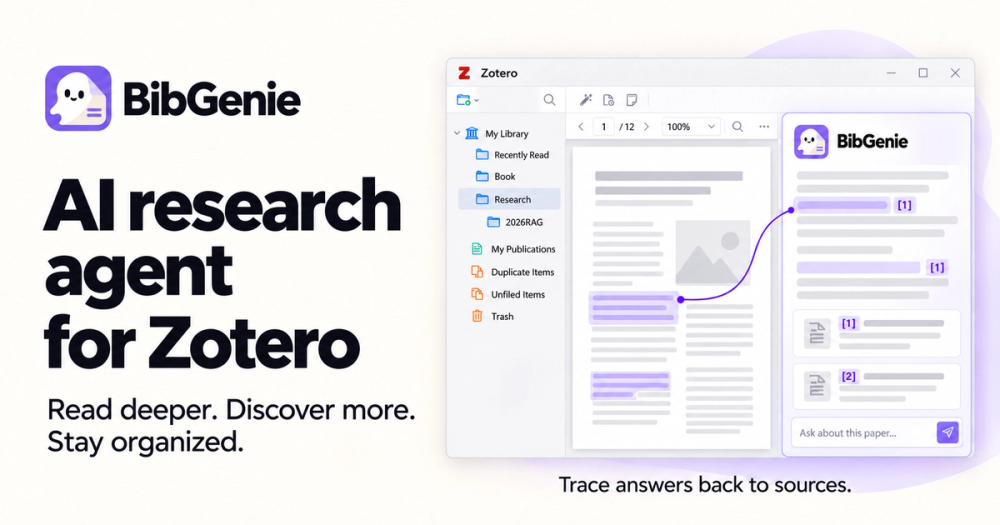
BibGenie is a Zotero AI plugin to chat with papers, discover research, trace answers to sources, and organize your Zotero library. Its paragraph-level citations and source highlighting trace every claim directly back to primary evidence in your papers.
Key Features
01. Built into Zotero
BibGenie lives in Zotero’s side panel and stays with you as you move between the Library and Reader. It can use the active item and current page as context, so you can ask about what’s in front of you without moving your work to a separate AI app.
02. Bring Any Zotero Context into Chat
Type @ or use Add Context to add items, notes, tags, and collections. Or choose Add to Chat from the Library or Reader to bring in selected items, attachments, annotations, PDF pages, EPUB sections, and selected passages. Combine them in one prompt to work across multiple sources.
03. Search Your Library — and Beyond
Start with your Zotero library, searching by keyword or meaning. When you need broader coverage, discover scholarly works through OpenAlex. Your library remains the starting point—not generic web results.
04. Trace Every Claim to Its Source
BibGenie places citations beside the paragraphs they support. Select one to return to the relevant PDF, EPUB, snapshot, note, or Zotero item and inspect the supporting evidence in context — so you never have to worry about AI hallucinations.
05. Organize Your Library — Safely
Ask BibGenie to organize collections, manage tags, and review or update metadata. Before a write or batch action runs, you see the proposed changes and affected items and choose whether to approve them.
06. Your Data, Your Control
Your chat history and library index are stored locally. Choose a BibGenie-managed model, connect your own provider or OpenAI-compatible endpoint, or run locally with Ollama. Model requests follow the route you choose: managed models use BibGenie’s service, custom-provider requests go directly to that provider, and local-model requests stay on your machine.
07. Connect Notion & Built-in Zotero MCP
Sync research findings and structured summaries directly into your authorized Notion workspace during conversations. BibGenie also includes a local Model Context Protocol (MCP) server, allowing external AI clients like Cursor, Claude Desktop, and Claude Code to securely search your Zotero library and read notes.


